
Installing the Rackify 120 mm fan panel in a 19-inch rack
19-inch · 3U panel · about 10 minutes
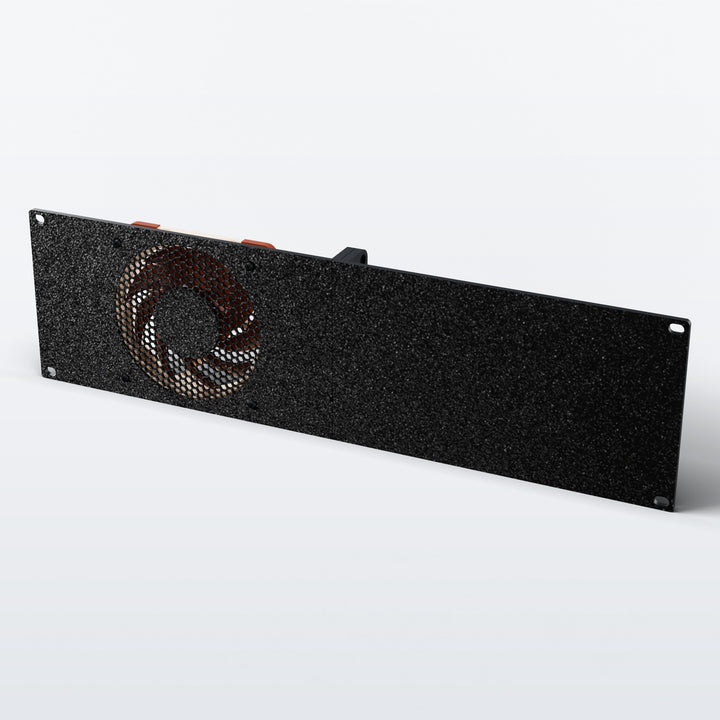
To install the Rackify 120 mm fan panel in a 19-inch rack, join the two halves, screw your fans over the openings, then screw the panel to the rack rails. It is a 3U panel for standard 19-inch racks. Installing it takes about 10 minutes.
At a glance
| Mount | 3U 19-Inch Rack Mount for 120 mm Fans |
|---|---|
| Rack | 19-inch (482.6 mm), 3U |
| Fits | Standard 19-inch racks |
| Mount size (W × D × H) | 482.6 × 44 × 133.35 mm |
| Time | About 10 minutes |
| Tools | Screwdriver for your rack screws; Screwdriver for your fan screws; Hex key for the M5 socket cap screws |
| In the box | 19-inch 3U halves printed in PETG, per your Placement: Left or Right = your module + a blank half; Both = two modules; 9 × M5 socket cap screws + 9 × M5 hex nuts (joins the two halves) |
| Not included | Rack screws; Fans and fan screws |
-
Step 1: Join the two halves
Lay both halves face down with the joint flanges together. Seat the M5 hex nuts in the hex traps on one half, then push the M5 socket cap screws through the other half and tighten them into the nuts.
Ordered a half only? Skip this step.
-
Step 2: Choose the airflow direction
Check the arrow on the fan frame: it shows which way the air moves. Decide whether the fan pulls air into the rack or pushes it out.
-
Step 3: Screw the fan to the panel
Fasten each fan over its opening with the fan's own screws. Fans and fan screws are not included.
-
Step 4: Hold the panel in the rack
Hold the panel against the rack rails at the position you want, with its holes lined up with the cage nuts or threaded holes.
-
Step 5: Screw in the rack screws
Fit a rack screw through each mounting hole and tighten until snug. Use M6 screws with cage nuts on square-hole rails, or #10-32 or #12-24 screws on threaded rails.
Tips
- Fans run on your own power source; the panel only holds them.
Questions
Which rack screws do I need?
Use the screws that match your rack's rails: M6 screws with cage nuts on square-hole rails, or #10-32 or #12-24 screws on threaded rails.
Are fans included?
No. Fans and fan screws are not included. Use the screws that came with your fan.
How do the two halves join?
With the included M5 socket cap screws and M5 hex nuts: 3 of each per 1U (2 for a 0.5U panel). The nuts sit in hex traps on one half and the screws go through the other half.
View the 3U 19-Inch Rack Mount for 120 mm FansAll installation guides →