Skip to product information


19-Inch Rack
JetKVM + Keystone 1U 19-Inch Rack Mount
Keystone panel · 1U
$29.99
We'll note your device on the order. It doesn't change the price.
Guaranteed fit.
If a mount doesn't fit the device it's listed for, we'll replace it or refund it.
Details about the fit guarantee
Read the fit guarantee policy
Choose a listed device to review the evidence for this mount.
View fit evidence
Fit evidence applies to the named device, revision and mount configuration. Each device in a combined mount is assessed separately.
JetKVM
Fit evidence has not yet been verified for this exact device, revision and mount.
Product details
Description
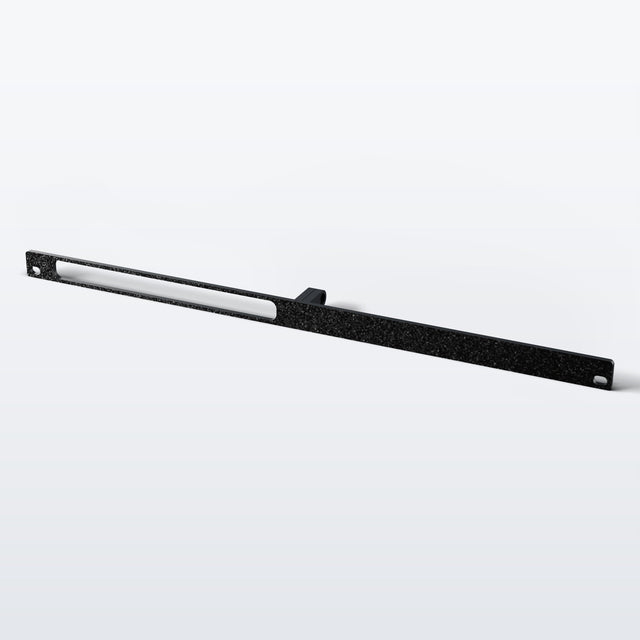
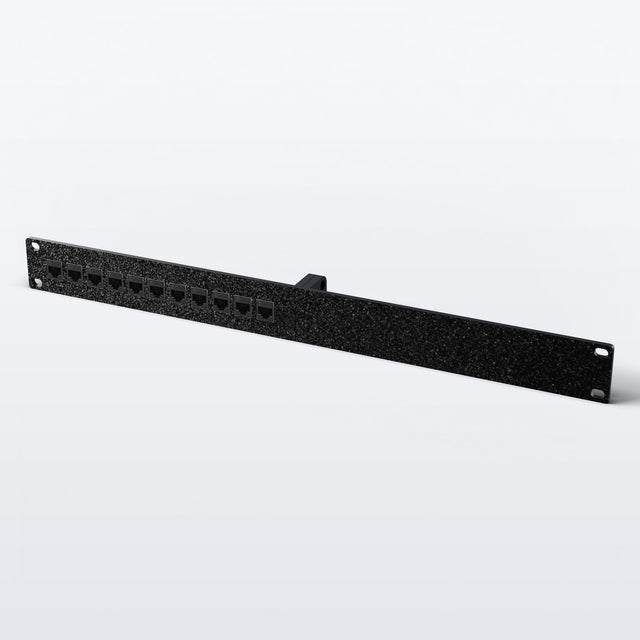
A 1U 19-inch panel built from two Rackify modular halves that combines JetKVM receivers with keystone openings: one JetKVM with two keystone openings, or two JetKVMs with four, per half.
- Choose Left, Right or Both. Left and Right pair your module with a blank half; Both uses two modules.
- Each JetKVM sits in its own receiver and is held with two screws; each opening takes a standard keystone jack.
- Left half only and Right half only ship a single half to pair with the opposite half of another Rackify 19-inch product.
- The two halves bolt together at the center of the panel.
What's included
- 19-inch 1U halves printed in PETG, per your Placement: Left or Right = your module + a blank half; Both = two modules; half only = one half
- 3 × M5 socket cap screws + 3 × M5 hex nuts (joins the two halves)
- 2 × JetKVM screws per JetKVM position
Fits these devices (1)
Specifications
| Rack width | 19-Inch Rack |
|---|---|
| Rack units | 1U |
| Mount size (W × D × H) |
482.6 × 44 × 44.45 mm (19.0 × 1.73 × 1.75 in) Both halves joined; each half is 241.3 mm (9.5 in) wide. |
| Weight | 75 g (2.6 oz) |
| Material | PETG |
| Chassis | JetKVM receiver |
| Device size (W × D × H) | 49 × 36.5 mm |
| SKU | 19IN-1U-JK-RX-J1K2-BLK-L |
Installation
- Lay both halves face down with the joint flanges together.
- Seat the M5 hex nuts in the hex traps on one half.
- Push the M5 socket cap screws through the counterbored holes in the other half and tighten them into the nuts. The screws and nuts are included: 3 of each per 1U, 2 for a 0.5U panel.
- Set the mount upright on a flat surface, faceplate toward you.
- Slide each JetKVM into its receiver from the front, through the faceplate opening, screen facing out.
- Secure each JetKVM with its 2 supplied screws.
- Snap each keystone jack into its opening. Jacks are not included.
- Fit the mount to the rack with screws that match your rails (M6 + cage nuts for square-hole rails; #10-32 or #12-24 for threaded rails). Tighten until snug.
Step-by-step guide: Installing the Rackify JetKVM + keystone mount in a 19-inch rack
Shipping & returns
Free US shipping over $30. Made to order. Holiday orders ship in 5–7 business days. Carrier transit time is additional.